Drovqelianix
Vertex Capsule
Vertex Capsule
Couldn't load pickup availability
1. Problem Statement
Some learners do not need a huge amount of theory, but they do need focused materials that help them practice with intention. After studying basic tags, selectors, and layout rules, it can still be hard to create sections that feel balanced. A page block may work technically, yet still need better spacing, clearer hierarchy, or more careful styling. Learners may also struggle to decide which CSS rule should be reused and which should stay tied to one section. Vertex Capsule is made for learners who want concise, structured practice with meaningful HTML/CSS examples.
2. Solution
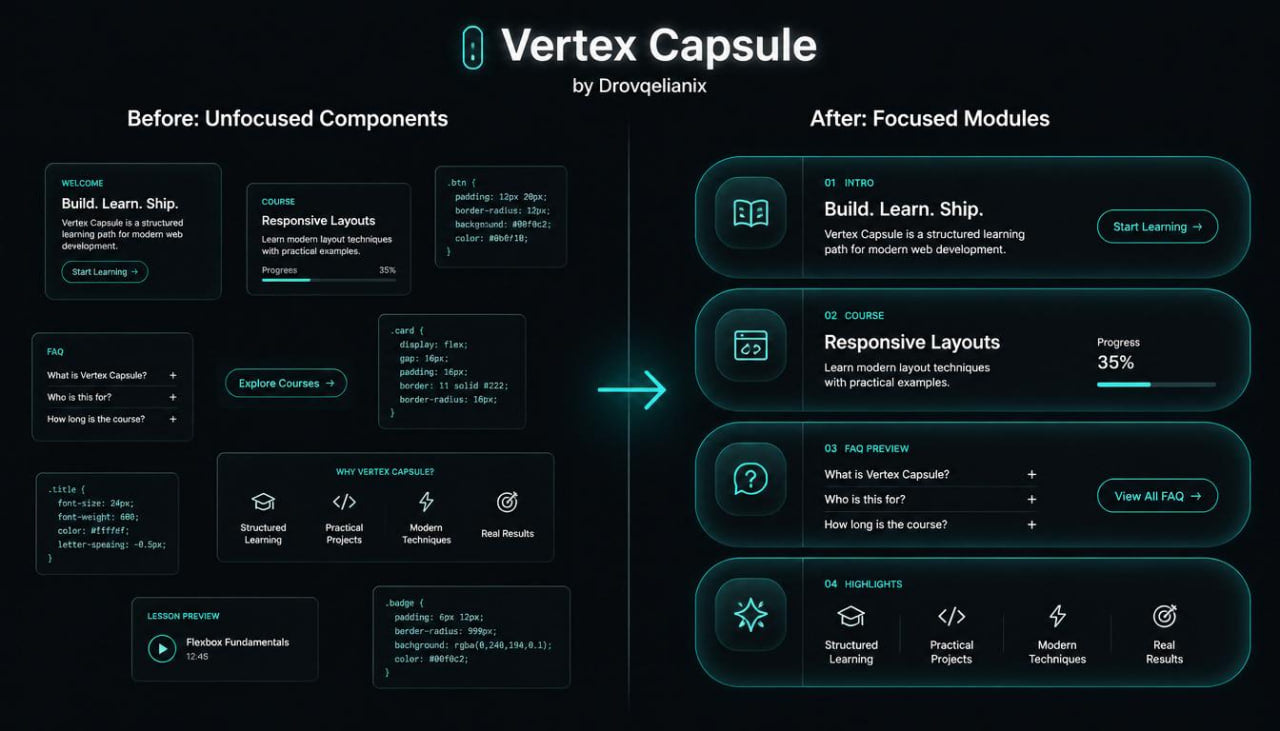
This course brings together focused modules built around compact page components. Each module studies one section type, then guides learners through structure, styling, review, and revision. The materials help learners see how a small amount of HTML and CSS can create a clean visual result when each choice has a reason. Instead of jumping across many unrelated topics, the course keeps attention on practical section building. Learners work through examples that support better markup habits, more consistent styling, and stronger layout awareness.
3. What’s Inside
Vertex Capsule includes a set of focused HTML/CSS modules centered on compact page sections. The course starts with a review of semantic structure, including headings, section wrappers, text groups, link areas, and image placement. From there, learners study how to build concise page components such as intro capsules, course summary cards, content highlights, feature blocks, contact prompts, and small FAQ previews.
The CSS materials cover typography hierarchy, spacing groups, border styling, background areas, hover states, layout alignment, and responsive adjustments. Each topic is tied to a visible page section, so learners can connect code with design behavior. The course includes guided coding tasks where learners create one section, revise it, compare the revised version, and document what changed.
Learners also receive a capsule review checklist covering class naming, repeated values, heading order, spacing consistency, color use, image sizing, and section flow. A refinement module walks through how to take a plain section and make it more readable through typography, spacing, and layout changes. The course also includes a small final practice task where learners combine several compact components into a single static page segment.
The emphasis is on careful practice: writing HTML that is easy to follow, using CSS with intention, and building sections that feel organized without becoming overcomplicated.
4. Who Is This For?
Vertex Capsule is intended for learners who know basic HTML/CSS and want focused practice with smaller page components. It fits people who prefer concise modules, visual examples, and practical coding tasks. It is also useful for learners who want to improve how they review and revise their own static page sections.
5. What You’ll Learn
- How to build compact HTML/CSS page components.
- How to organize headings, text groups, links, and images.
- How to style course cards, intro blocks, highlights, and FAQ previews.
- How to use spacing and typography for cleaner visual order.
- How to revise a section without making the CSS messy.
- How to review class names, layout balance, and repeated style rules.
- How to combine several small sections into one static page segment.
6. 30-Day Refund Terms
Vertex Capsule includes a 30-day refund option under the store’s written terms. The policy should describe the request window and purchase conditions in plain wording, without claims about learning outcomes.
Self-paced learning overview
- 🗂️ Digital file available after purchase
- 📚 Long-term availability
- 🔐 Secure checkout
- 🛠️ Content updated in 2026
How are the courses arranged?
How are the courses arranged?
Each course is built around modules, written materials, practical tasks, and examples for HTML/CSS study.
Do I need prior coding knowledge?
Do I need prior coding knowledge?
No prior coding background is required for the first plan. Higher plans move into broader layout and styling topics.
What happens after choosing a plan?
What happens after choosing a plan?
You receive the materials connected to that plan and can study them at your own pace.
Share