Drovqelianix
Slate Module
Slate Module
Couldn't load pickup availability
1. Problem Statement
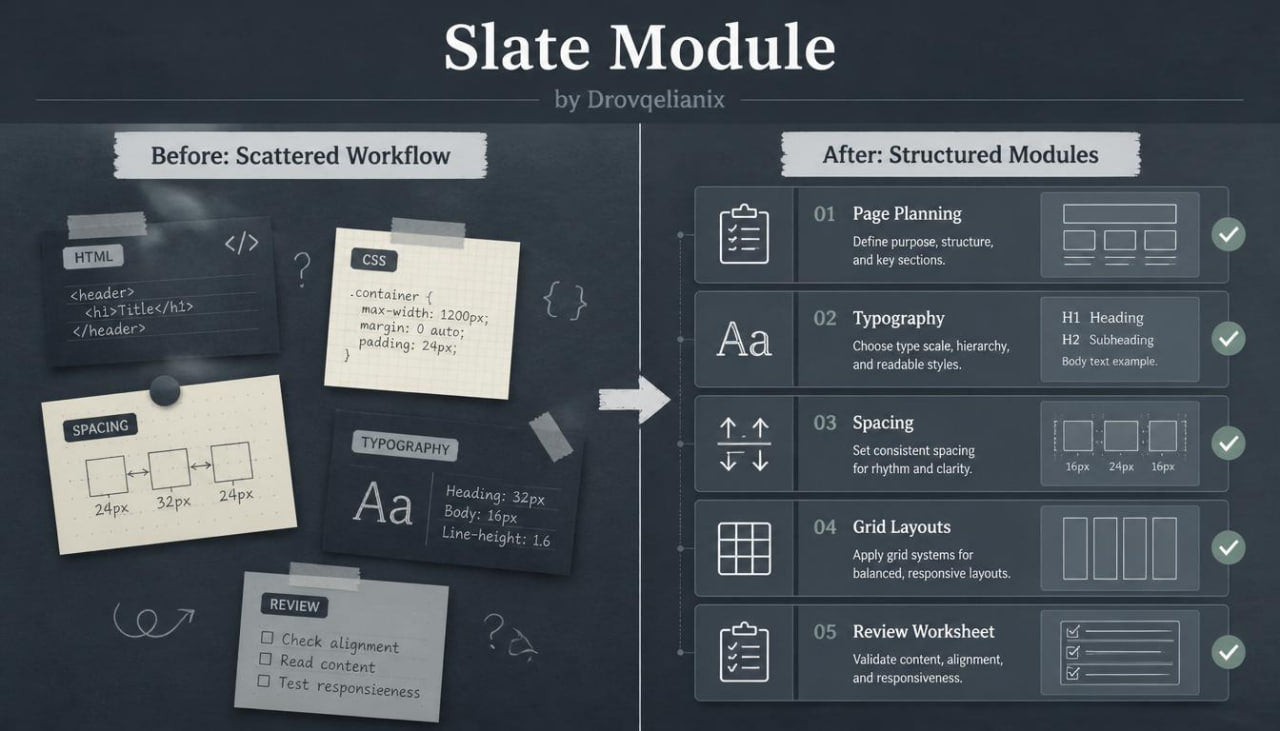
Many learners reach a stage where they understand separate HTML/CSS ideas, but their workflow still feels scattered. They may know how to write headings, sections, classes, and style rules, yet struggle to keep everything arranged as the page grows. Larger page drafts can become difficult to read when class names, spacing values, and layout rules are added without a plan. Learners also need practice reviewing their own work, because small code choices often affect the full page. Slate Module is made for learners who want a more organized way to study and build static page layouts.
2. Solution
This course breaks HTML/CSS practice into focused modules with a clear learning flow. Each module begins with a page concept, moves into guided code examples, and ends with a practical task. Learners study how structure, styling, layout, and revision work together instead of treating them as separate topics. The materials encourage careful naming, consistent spacing, readable markup, and cleaner style organization. By working through Slate Module, learners build stronger habits for creating and improving static course-style pages.
3. What’s Inside
Slate Module includes a sequence of HTML/CSS modules focused on complete page sections and organized workflows. The course begins with structure planning, where learners study wrappers, section groups, headings, paragraph blocks, links, cards, and content areas. The HTML materials explain how to arrange page content in a readable order before styling begins.
The CSS modules cover typography systems, color grouping, spacing values, borders, backgrounds, alignment, grid layouts, flexible rows, and responsive adjustments. Learners study how to create intro sections, course overview blocks, feature grids, material previews, FAQ areas, and contact sections. Each example includes notes about class naming, nesting, layout choices, and visual hierarchy.
The course also includes guided practice tasks for building a small multi-section page. Learners create a structured intro area, a course collection block, a learning materials section, and a contact prompt. After building each part, they review spacing, headings, content width, repeated styles, and page flow.
Slate Module also provides a code review worksheet. This worksheet helps learners check whether class names are understandable, CSS rules are grouped logically, sections follow a consistent rhythm, and layout behavior remains stable across screen sizes. A refinement task asks learners to take a plain draft and improve it through spacing, typography, and layout adjustments.
4. Who Is This For?
Slate Module is intended for learners who already understand basic HTML/CSS and want a more structured learning path. It fits people who want to move from single exercises into fuller static page drafts. It is also useful for learners who want better habits around code organization, visual layout, and page review.
5. What You’ll Learn
- How to plan a static page before styling.
- How to arrange HTML sections in a readable order.
- How to create intro areas, grids, cards, FAQ blocks, and contact sections.
- How to organize CSS for typography, spacing, color, and layout.
- How to use grid and flexible rows for page structure.
- How to review class names, repeated rules, and spacing patterns.
- How to refine a multi-section page draft with practical changes.
6. 30-Day Refund Terms
Slate Module includes a 30-day refund window under the store’s written terms. The policy should describe the request period and purchase conditions in plain wording, without claims about personal outcomes.
Self-paced learning overview
- 🗂️ Digital file available after purchase
- 📚 Long-term availability
- 🔐 Secure checkout
- 🛠️ Content updated in 2026
How are the courses arranged?
How are the courses arranged?
Each course is built around modules, written materials, practical tasks, and examples for HTML/CSS study.
Do I need prior coding knowledge?
Do I need prior coding knowledge?
No prior coding background is required for the first plan. Higher plans move into broader layout and styling topics.
What happens after choosing a plan?
What happens after choosing a plan?
You receive the materials connected to that plan and can study them at your own pace.
Share